Professional Online Tools for Handling Video and Audio Files – 123APPS
This platform offers nearly all the essential utilities required for daily work and study, enabling you to handle video, audio, PDF, office documents, and other file types.
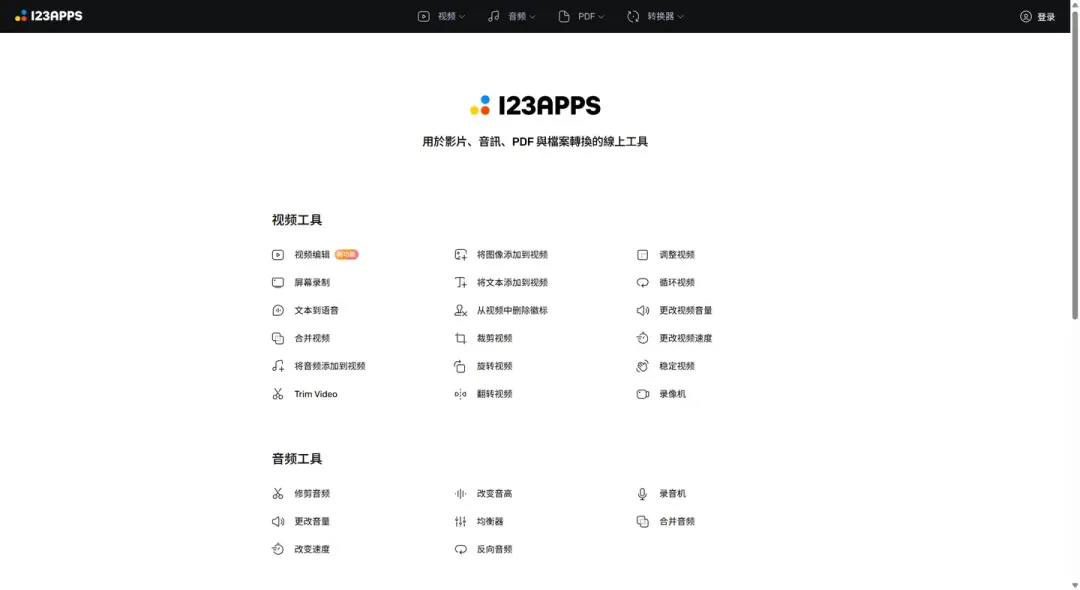
Video Tools
- Video Editing: A comprehensive video editing toolkit.
- Video Cropping: Capture a specific area of the frame.
- Screen Recording: Record your computer screen, with simultaneous microphone audio capture.
- Rotate Video: Flip videos at fixed angles such as 90° or 270° rotations.
- Text to Speech: Convert text into speech, supporting multiple languages and voice tones.
- Flip Video: Horizontally or vertically flip videos.
- Merge Videos: Combine multiple videos into a single seamless file.
- Adjust Video: Modify brightness, contrast, saturation, hue, and other parameters.
- Add Audio to Video: Add background voiceovers, background music, and more to your videos.
- Loop Video: Automatically replay videos, with options to set loop counts or infinite looping.
- Trim Video: Extract specific segments from your video.
- Change Video Volume: Increase or decrease the original audio volume of the video.
- Add Images to Video: Insert images or logos into your video for covers, endings, or watermarks.
- Change Video Speed: Adjust playback speed for slow motion or fast-forward effects.
- Add Text to Video: Add subtitles, titles, notes, and other textual elements.
- Video Stabilization: Eliminate shakiness in videos for smooth playback.
- Remove Logo from Video: Remove watermarks or logos from the footage.
- Webcam Recorder: Record videos using your computer’s webcam.
Audio Tools
- Trim Audio: Cut audio files to remove beginnings, endings, or specific segments.
- Equalizer: Adjust bass, midrange, and treble volumes.
- Change Volume: Increase or decrease the overall audio volume.
- Reverse Audio: Play audio backwards.
- Change Speed: Alter the playback speed of audio.
- Voice Recorder: Use your computer’s microphone to record audio, saveable as MP3 or other formats.
- Change Pitch: Adjust the pitch to a higher or sharper tone.
- Merge Audio: Combine multiple audio files into one.
Website: 123apps.com